Settings → Energy & Automation¶
?tab=settings§ion=energy — values your schedules use, and the electricity
services and tariffs that price your energy.
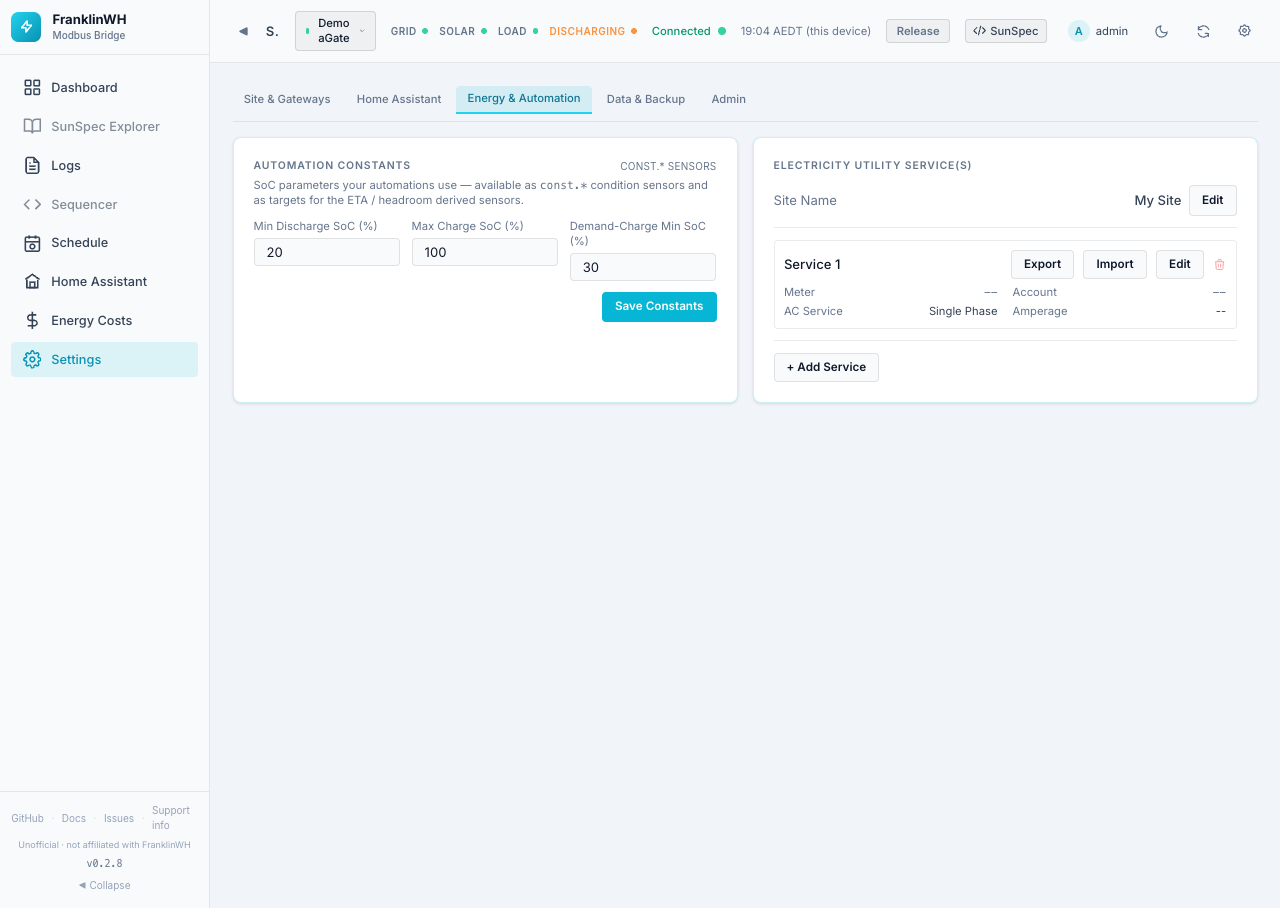
Cards on this page:
Automation Constants¶
SoC limits that your schedules can refer to. Shown only while the Schedule feature module is on.
| Field | Default | Range | Sensor |
|---|---|---|---|
| Min Discharge SoC (%) | 20 | 0–100 | const.min_discharge_soc |
| Max Charge SoC (%) | 100 | 0–100 | const.max_charge_soc |
| Demand-Charge Min SoC (%) | 30 | 0–100 | const.demand_charge_min_soc |
Each value becomes a const.* sensor that a schedule condition can compare with, and a
target for the derived ETA and headroom sensors (for example, how long until the battery
reaches the max charge SoC at the current power). Changing a constant here changes every
schedule that uses it. Save Constants saves.
The constants do not limit the battery by themselves. They only take effect through the schedules that use them. See the Scheduler.
Utility services and tariffs¶
Worked examples
For a step-by-step flat plan and a dynamic NEM plan, see Guide: utility, meter and tariff setup.
A utility service is your electricity connection: a meter, its grid-connection permissions, and the retail plan and tariff that price it. A gateway is linked to a service in its Edit Gateway dialog (Utility Service), so a site with several aGates on one meter shares one tariff.
Services feed the Energy Costs page and the service.*, tariff.*,
demand.*, bonus.* and fixed.* sensors that schedules use.
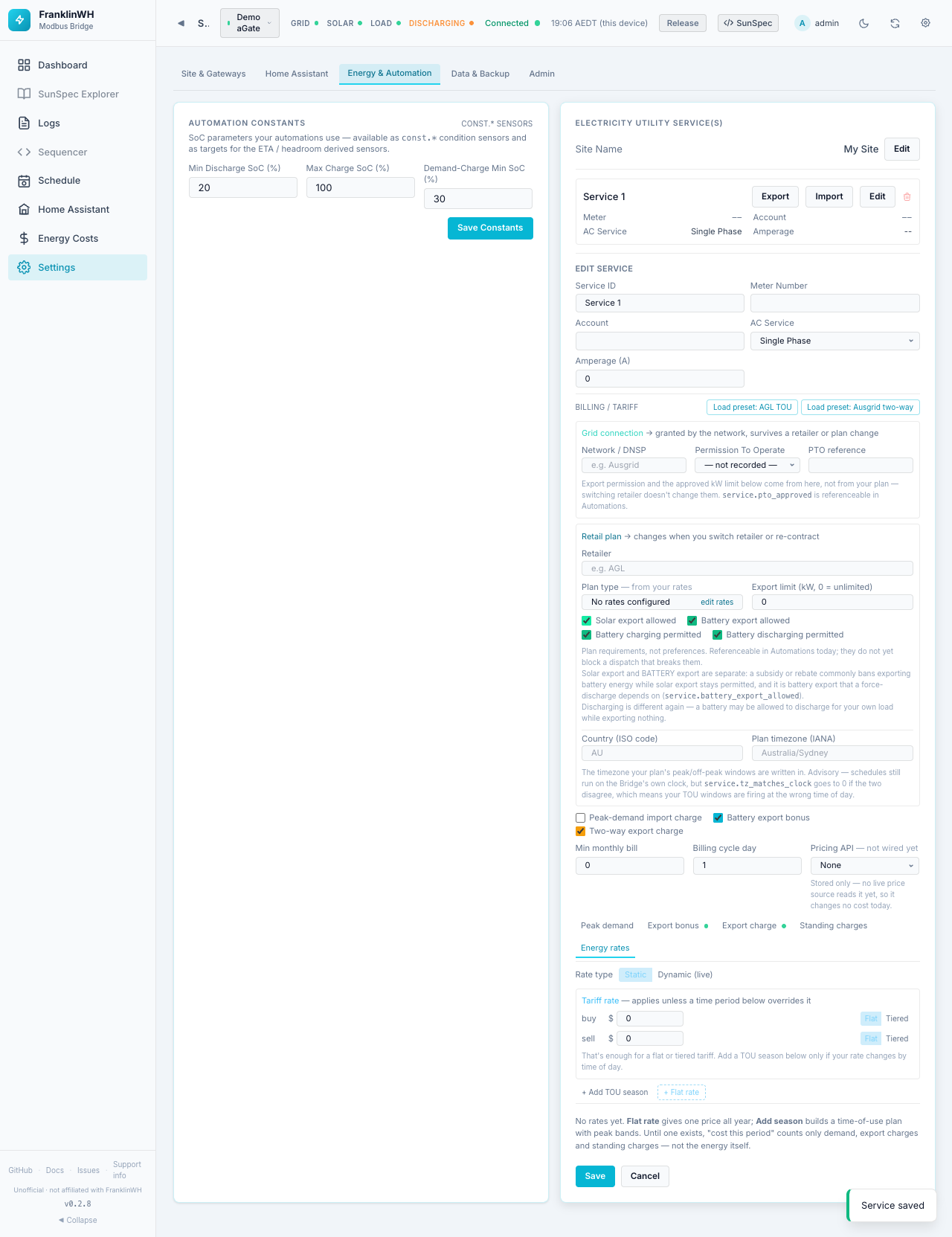
Site Name¶
The name of the whole site, default My Site. Shown at the top of the simple dashboard. Edit, then Save.
The service list¶
Each service shows Meter, Account, AC Service and Amperage, and four buttons:
| Button | What it does |
|---|---|
| Export | Downloads the tariff as a shareable JSON profile. Meter, account and network approval are left out. |
| Import | Loads a tariff profile into this service. You first see a review: the profile name, retailer and network, number of seasons, ignored fields and any rate problems. Apply replaces the service's tariff; meter, account and network approval are not touched. Cancel changes nothing. |
| Edit | Opens the service editor. |
| Bin | Deletes the service. |
+ Add Service creates one. The tariff part of the editor appears only after the service has been saved once.
Service editor¶
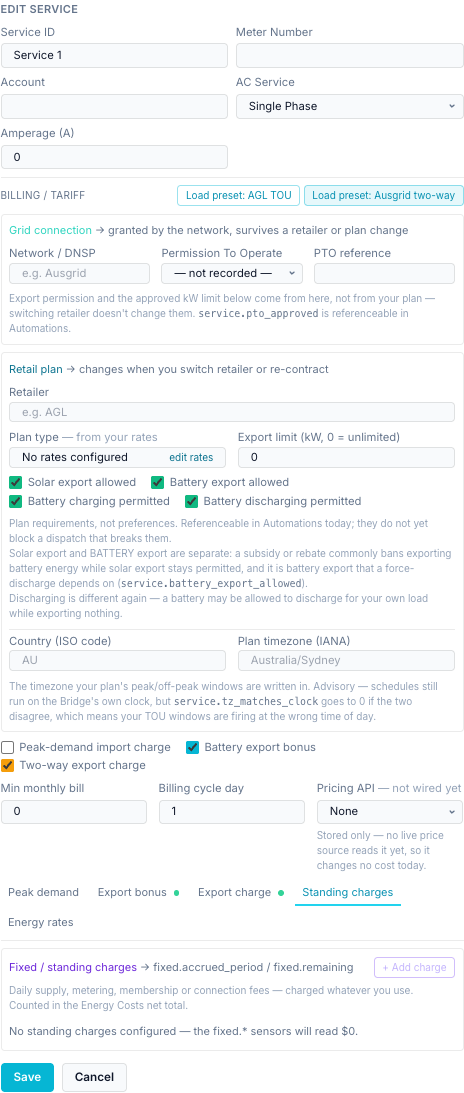
The connection:
| Field | Default | Notes |
|---|---|---|
| Service ID | — | The service's name (shown in lists). |
| Meter Number | empty | For example your NMI. |
| Account | empty | Your retailer account number. |
| AC Service | Single Phase | Single, Split or Three Phase. |
| Amperage (A) | 0 | The connection's rated current. |
Load preset: AGL TOU and Load preset: Ausgrid two-way fill in example values from two Australian plans. They fill the form only: review, then Save.
- Ausgrid two-way (network tariff EA029): export reward 16:00–21:00 at 3.8551 c/kWh, export charge 10:00–15:00 at 1.3552 c/kWh above 6.83 kWh/day free.
- AGL TOU: an evening feed-in window at 28 c/kWh 17:00–21:00 and a daily supply charge. Its import rates are stored for reference only and are not priced.
Grid connection — granted by the network (DNSP) against your meter; survives a change of retailer or plan:
| Field | Options | Sensor |
|---|---|---|
| Network / DNSP | Free text, for example Ausgrid | — |
| Permission To Operate | not recorded, Not applied for, Applied — pending, Approved | service.pto_approved |
| PTO reference | Free text | — |
Retail plan — changes when you switch retailer or re-contract:
| Field | Default | Notes / sensor |
|---|---|---|
| Retailer | empty | For example AGL. Used to group the Energy Costs history. |
| Plan type | — | Read-only, worked out from your rates: No rates configured, Flat rate, Tiered, Time of use, Hybrid, Dynamic — live price. edit rates jumps to Energy rates. |
| Export limit (kW) | 0 = unlimited | The approved export limit. Greyed out if export is not allowed. |
| Solar export allowed | On | May solar export to the grid. |
| Battery export allowed | On | May battery energy export to the grid. A force discharge to grid depends on this one. Rebates often ban battery export while allowing solar export. service.battery_export_allowed |
| Battery charging permitted | On | May the battery charge from the grid. |
| Battery discharging permitted | On | May the battery discharge at all, even only to the house. |
| Why is export restricted? | empty | Appears when either export box is off. A note for whoever comes next. |
| Country (ISO code) | empty | For example AU. |
| Plan timezone (IANA) | empty | The timezone the plan's peak windows are written in, for example Australia/Sydney. |
Permissions are recorded, not enforced
The export and charging boxes are plan requirements you can test in schedule
conditions (service.* sensors). In 0.2.8 they do not block a dispatch that breaks
them. Build the check into your schedules.
The plan timezone is advisory. Schedules still run on the bridge's clock, but
service.tz_matches_clock goes to 0 when the two disagree, which means your TOU windows
fire at the wrong time of day.
Tariff parts and billing:
| Field | Default | Notes |
|---|---|---|
| Peak-demand import charge | Off | Turns on the Peak demand tab. |
| Battery export bonus | Off | Turns on the Export bonus tab. |
| Two-way export charge | Off | Turns on the Export charge tab. |
| Min monthly bill | 0 | |
| Billing cycle day | 1 | Day of the month a billing period starts (1–31). Sets the period on Energy Costs. |
| Pricing API | None | Not wired yet: stored only, changes no cost today. |
Then five tabs. A dot on a tab means that part is switched on and configured.
Peak demand¶
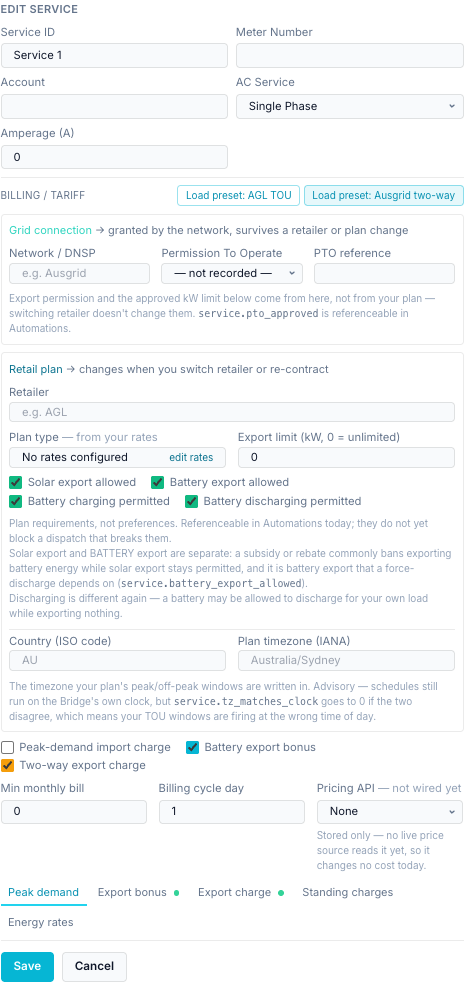
Only when Peak-demand import charge is ticked. Feeds demand.peak_kw and
demand.period_charge.
| Field | Options |
|---|---|
| From / to | The demand window, for example 15:00 to 21:00. |
| Rate ($/kW/day) | The demand rate. |
| Interval | 15 min (×4), 30 min (×2), 60 min (×1): the averaging interval for demand. |
| Charge basis | kW × rate × days, or kW × rate (flat). |
| Months, days | Click to choose. None selected = every month / every day. |
Export bonus¶
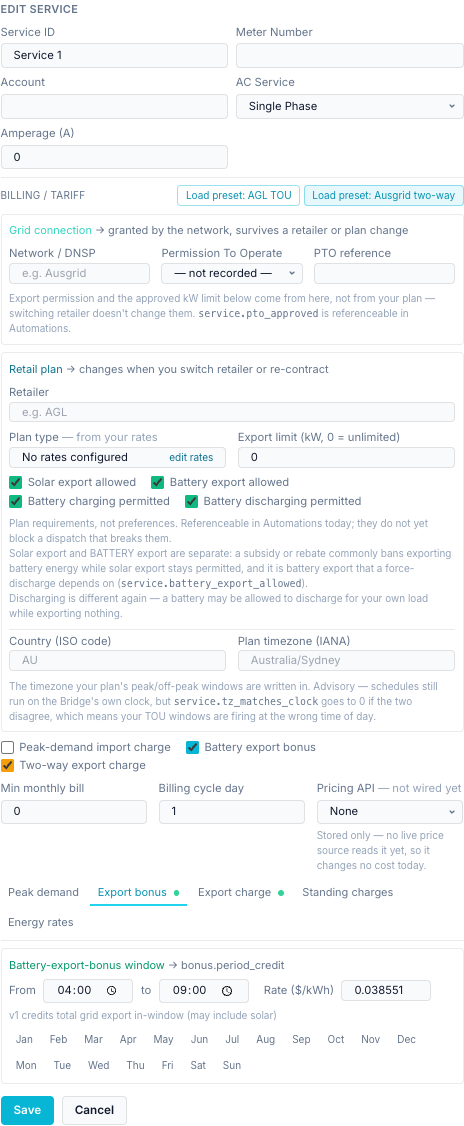
Only when Battery export bonus is ticked. A window (from / to, months, days) and a rate
in $/kWh. Feeds bonus.period_credit. Version 1 credits all grid export in the window,
which may include solar.
If your Energy rates already price export (a sell rate), the tab says the bonus is Superseded and no longer credits the bill, so the same kWh is not paid twice. Put the feed-in rate on the time period instead.
Export charge¶
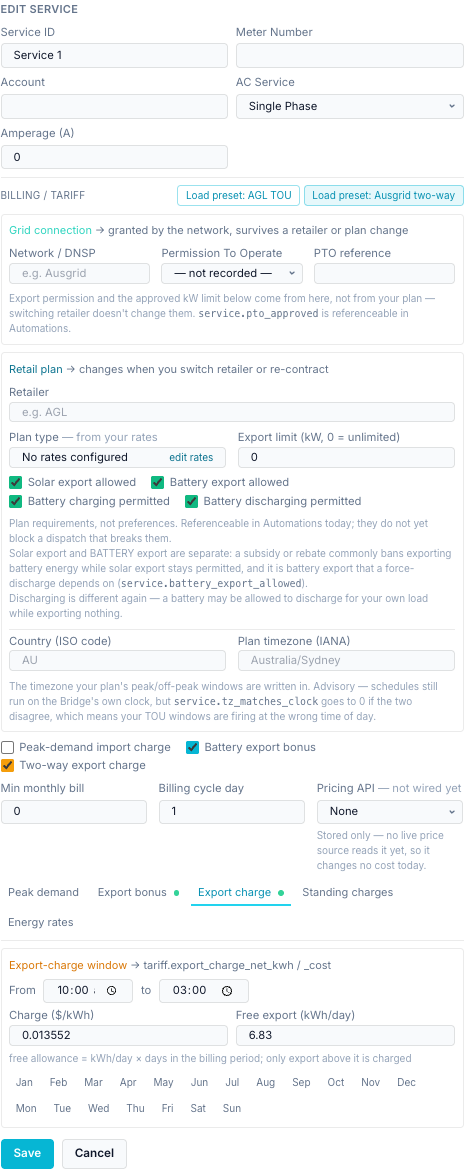
Only when Two-way export charge is ticked. For networks that charge you for exporting
at midday. Feeds tariff.export_charge_net_kwh and tariff.export_charge_cost.
| Field | Meaning |
|---|---|
| From / to, months, days | The charge window. |
| Charge ($/kWh) | Price per kWh exported above the free allowance. |
| Free export (kWh/day) | The free allowance. Over a billing period it is this × the number of days. |
Standing charges¶
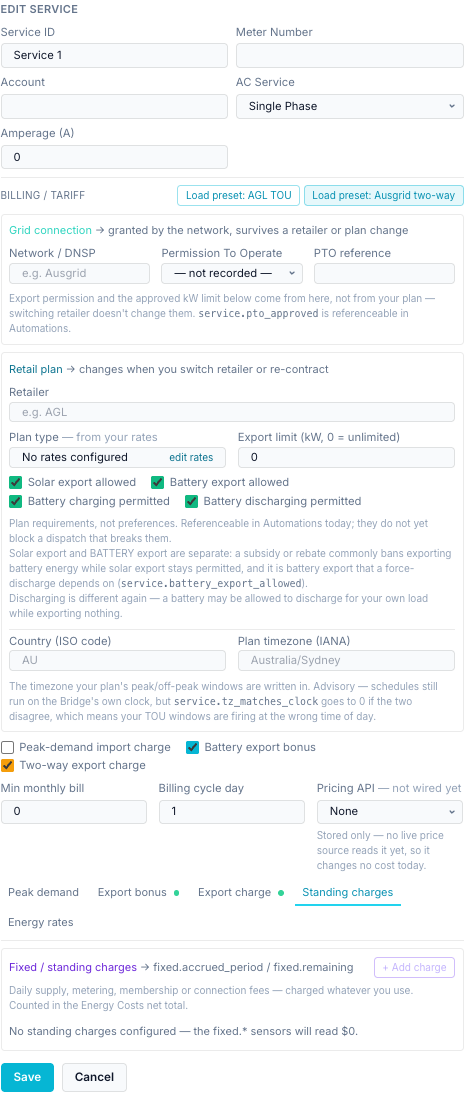
Daily supply, metering, membership or connection fees, charged whatever you use. They are
counted in the Energy Costs net and feed fixed.accrued_period and fixed.remaining.
With none, the fixed.* sensors read $0.
+ Add charge, then for each charge:
| Field | Options |
|---|---|
| Type | Supply, Metering, Membership, Connection, Other |
| Levied by | Utility / network, Retailer, Other |
| Frequency | Daily, Weekly, Monthly, Quarterly, Annual |
| Rate ($) | Amount per frequency period |
| Description | Free text |
| Tax rate | For example 0.1 for 10 % GST; 0 if the rate already includes tax |
Each charge shows its cost per day including tax, and the card totals per day and per 30 days.
Energy rates¶
What each kWh costs to buy and earns when sold. Rate type chooses:
Static — rates you enter:
- Tariff rate — buy and sell, in $/kWh. Applies unless a time period below overrides it. Flat or Tiered per side. Tiered sets prices by kWh used at the meter this billing period: up to N kWh bands, then and above. This alone is enough for a flat or tiered plan.
- Seasons, for time-of-use plans: + Add TOU season (with time periods) or
+ Flat rate (one price all year).
- Name and Months. A month belongs to one season only; clicking one that belongs elsewhere moves it. A season with no months is the catch-all.
- Rates — buy & sell per time period: Super Off-Peak, Off-Peak, Mid-Peak, On-Peak, each flat or tiered, each marked active or not used. Copy rates → all seasons copies them. A buy price of $0 is a free-import band.
- Time blocks → time period: from / to times, the time period, and All days,
Weekdays or Weekend. An end at or before the start wraps past midnight, so
00:00as an end means end of day (the FranklinWH cloud writes24:00; both work).
- Reset all time periods overwrites every period in every season with the tariff rate.
The editor checks the plan as you go and lists anything it can't price (This plan won't price everything: …), or says Every hour of every month is priced. Uncovered hours use the tariff rate, or are recorded as unpriced if there is none.
Dynamic (live) — the price follows a live source:
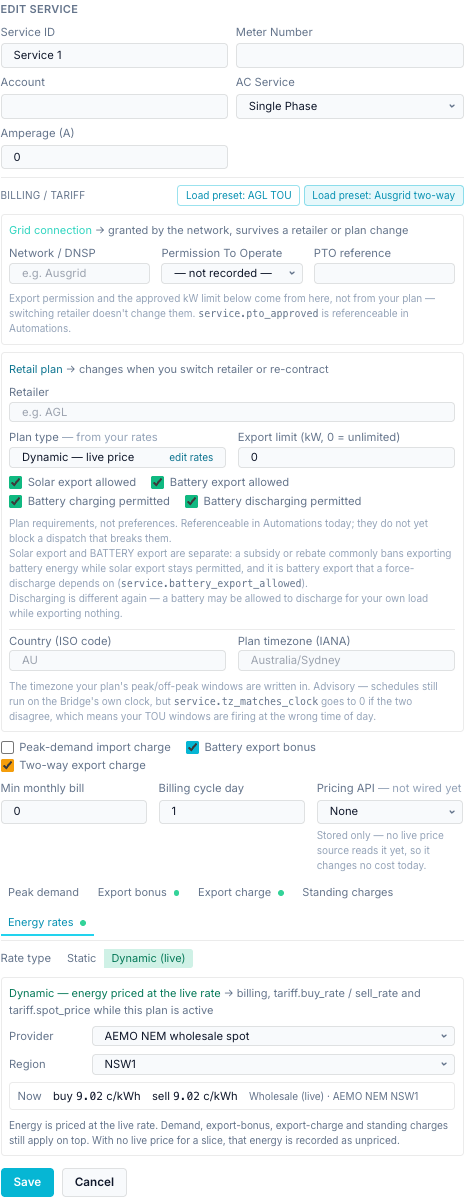
| Field | Options |
|---|---|
| Provider | AEMO NEM wholesale spot or Home Assistant price entity |
| Region | NSW1, QLD1, SA1, TAS1, VIC1 (NEM only) |
| Buy price / Feed-in | Home Assistant entities (HA only). Feed-in defaults to Same as buy price. |
The box shows the live buy and sell price now, in c/kWh. With no live price, energy in that
time is recorded as unpriced, not priced at an old rate. While Dynamic is on, it drives
billing and the tariff.buy_rate, tariff.sell_rate and tariff.spot_price sensors. Your
static rates stay on file.
Depends on: internet access to AEMO, or a Home Assistant instance with the price entity exposed on the Home Assistant page.
Save saves the service; Cancel discards your edits.