Restarts and the clock
What a bridge restart does to running commands and open windows, and which clock every schedule runs on. The operating practice for restarts is in Restarts & shutdown.
Bridge restart
| Step | What happens |
|---|---|
| Graceful shutdown | The schedule engine stops first. Then each gateway releases its active command (a fast release, no ramp-down) and logs shutdown in the control log. The Activity Log gets no row, and exit-time HA actions do not run. |
| Crash or power loss | Nothing is released. The setpoint stays on the aGate, which does not revert by itself. |
| Gateway start-up | Each gateway reads the command state it saved. If a command was active, it is released ("Releasing now for safety") and the revert timer is cleared. |
| Engine start | The engine starts with no memory: no owners, no done marks, no hold-for or retry timers. |
| First ticks | Entries whose window is open fire again (gate and hold-for permitting; the hold-for timer starts from zero). Always entries are eligible again. A hold (API release: hold) is not resumed. |
| Catch-up | If the bridge was down for more than 60 s, fires that started and ended while it was down are handled by each entry's missed policy. |
So a restart during an open window usually means two writes: the start-up release, then a new dispatch a few seconds later. Keep restarts outside your windows.
Not linked in the audit trail yet
A restart is not linked to the command it cut short or to the window it re-fired. See Audit trail in Restarts & shutdown.
The clock
Every trigger, window, tariff window and time.* sensor uses the bridge's local clock:
the timezone of the bridge's process (the container's TZ or /etc/localtime, or the Home
Assistant host's timezone for the add-on). One clock for every gateway.
-
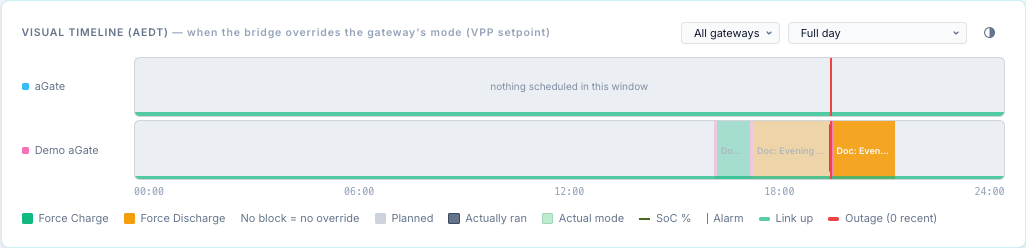
The browser's timezone does not matter. The form, Next fire, the timeline and the Activity Log show the bridge's clock; the zone is printed in the timeline header and the Activity Log's Time column, for example (AEDT).
-
On first start the bridge records its timezone; on every start it compares. A mismatch (for example a container that fell back to UTC) means every schedule fires at the wrong wall-clock time. The top bar asks you to confirm the detected timezone or change it.
-
time.tz_okreads 0 when the clock no longer matches the recorded timezone, andtime.utc_offset_hshows the current offset. Use them in a condition, for example to send a notification. service.tz_matches_clockreads 0 when a utility service's timezone differs from the bridge clock, which means its TOU windows apply at the wrong time.
Per-gateway clocks are planned
Today one clock serves every gateway. Per-gateway clocks, for sites whose gateways are in different timezones, are tracked in issue #162. They are not in this release.
Daylight saving
The engine works in local wall-clock time, with no timezone attached. Around a daylight-saving change:
- Clocks go forward (the hour from 02:00 does not exist): a fire time or window inside the missing hour can be skipped that day, or start late; no catch-up runs for it.
- Clocks go back (the hour from 02:00 happens twice): a window or fire time inside the repeated hour can be active twice and fire twice.
- An Every N minutes trigger can be off by the hour for one step.
Keep schedules out of 02:00–03:00 on change days, or check the Activity Log afterwards.