Logs
The Logs page (?tab=logs) shows the bridge's own log, stored in its database. Use it to
see what the bridge did and why: commands sent, schedules that fired, connection problems.
It is on by default.
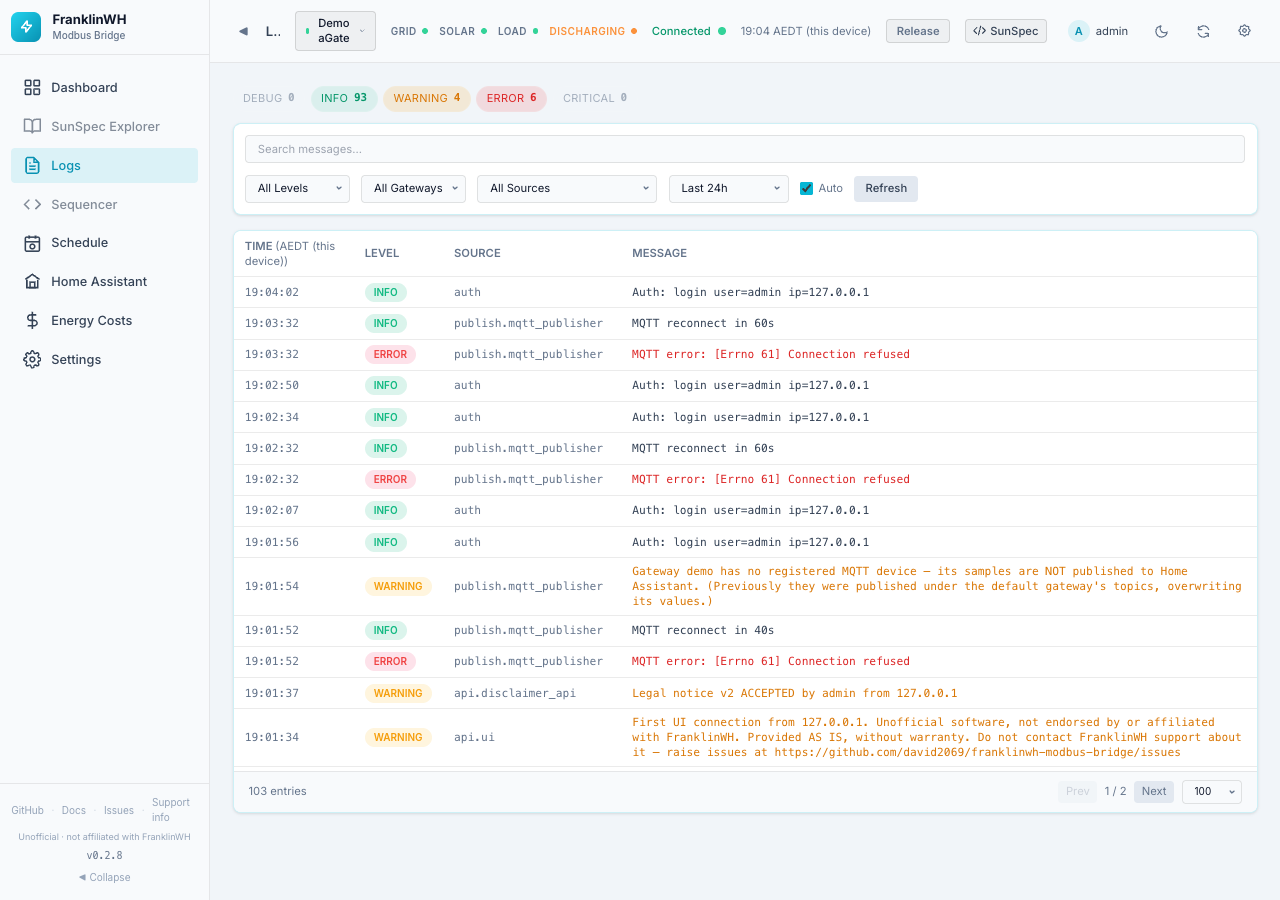
Level chips
The chips at the top count entries per level in the current time span: DEBUG, INFO, WARNING, ERROR, CRITICAL. A level with entries is tinted. Click a chip to show only that level. Click it again to clear the filter.
Filters
| Filter | Options | Default |
|---|---|---|
| Search messages… | Free text, searched as you type | empty |
| Level | All Levels, DEBUG, INFO, WARNING, ERROR, CRITICAL | All Levels |
| Gateway | All Gateways or one gateway (only with more than one gateway) | All Gateways |
| Source | The part of the bridge that wrote the entry (for example the poller, the MQTT publisher, the scheduler) | All Sources |
| Time span | Last 1h, 6h, 24h, 7 days, 30 days, All time, Custom… | Last 24h |
| Auto | Reloads every 5 seconds while the page is open | On |
| Refresh | Reloads now | — |
| Export text / Export JSON | Downloads the entries the filters select (admins only) | — |
Custom… shows From → To boxes in the bridge's timezone; press Apply.
On a phone, everything except Search folds behind a Filters button, which shows how many filters are active.
The table
| Column | Meaning |
|---|---|
| Time | When it was logged, in the bridge's timezone. Hover for the full date. |
| Level | DEBUG to CRITICAL. |
| Source | Short name of the logger. Hover for the full name. |
| Message | The log message. |
Below the table: the number of entries, Prev / Next pages, and the page size (50, 100, 200, 500).
Export
Export text and Export JSON download the log for the current filters: search, level, gateway, source and time span. The file includes every matching entry, oldest first, up to 100,000 entries. Past that it keeps the newest. It isn't limited to the entries the page has loaded.
Serial numbers and IP addresses are replaced with <serial> and <ip>. Nothing else is
changed: names and other details in messages stay as logged. The file's header
says which filters were used and how many lines were masked.
Only admins see these buttons.
Reporting a problem
Don't paste raw logs, or a log export, into a GitHub issue: the export masks only serials and IP addresses. Use Settings → Admin → Support info, which removes serials, addresses, names and tokens first.