Settings → Admin¶
?tab=settings§ion=admin — features, user accounts, sign-in history and support
information. The Users, Sign-in activity and Support info cards are shown to admins only.
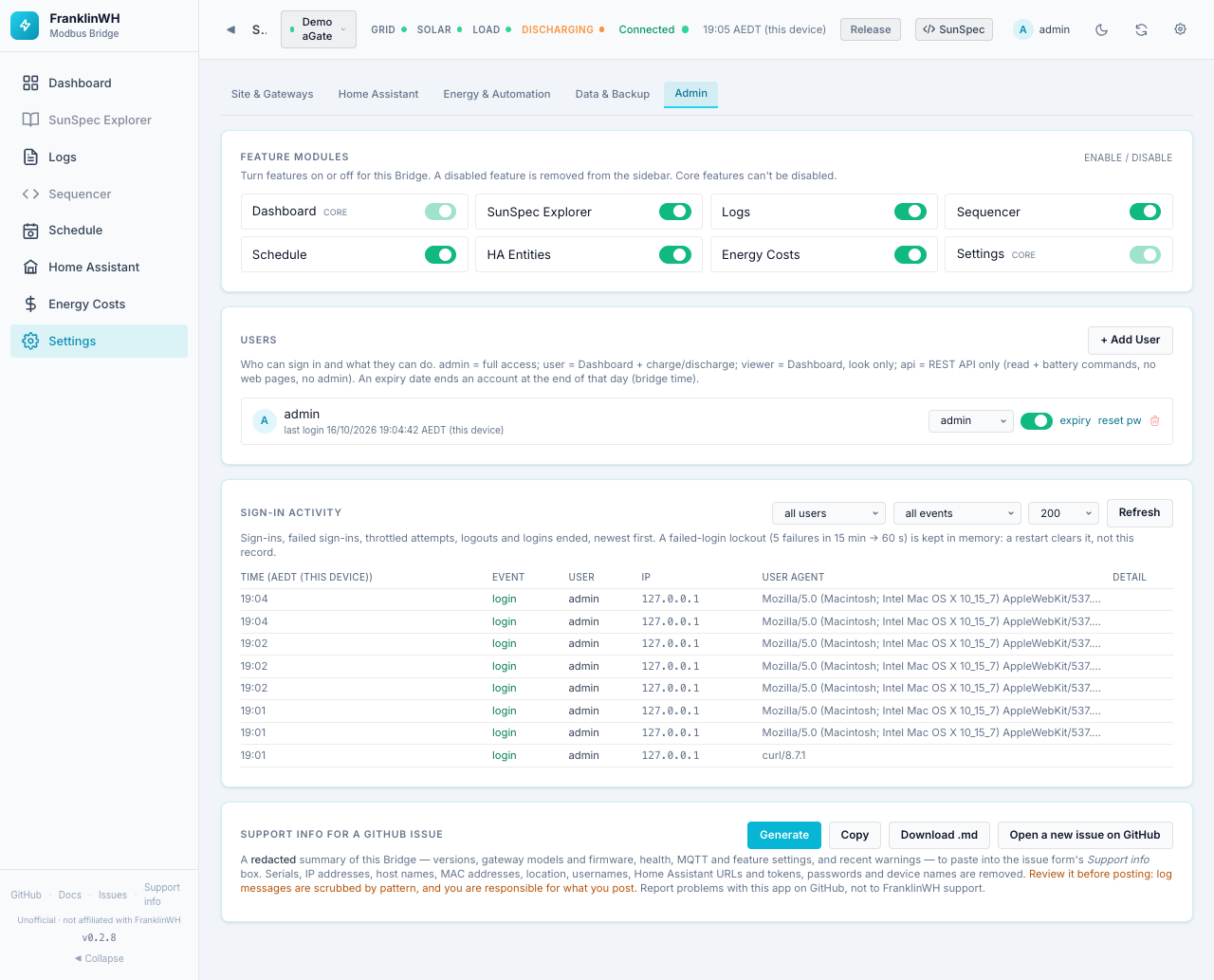
Cards on this page:
Feature Modules¶
Turns whole features on or off for everyone. A disabled feature disappears from the sidebar. For Schedule, HA Entities and Energy Costs the bridge's API also refuses that feature's requests. Core features cannot be switched off. Changes apply at once.
| Module | Page | New install | Notes |
|---|---|---|---|
| Dashboard | Dashboard | On (core) | |
| SunSpec Explorer | SunSpec Explorer | Off | Expert tool: raw registers. |
| Logs | Logs | On | |
| Sequencer | Sequencer | Off | Expert tool: writes registers on a live battery. |
| Schedule | Scheduler | On | Off also hides Automation Constants and the schedule API. |
| HA Entities | Home Assistant page | On | Off also disables the Home Assistant instances card in Settings. |
| Energy Costs | Energy Costs | Off | |
| Settings | Settings | On (core) |
Installs upgraded from before these defaults keep Explorer and Sequencer on.
Note
Switching the Sequencer module off hides the Sequencer page, but not the Modbus Sequencer tab under the Dashboard's Power History.
Users¶
Who can sign in and what they can do.
| Role | Can do |
|---|---|
admin |
Everything. |
user |
The simple dashboard, including charge and discharge. |
viewer |
The simple dashboard, look only. |
api |
REST API only: read data and send battery commands. No web pages, no admin. Marked REST only. For integrations such as another bridge or a script. |
Each user row shows the name, last login, expiry (with a badge when it is close or past), and:
| Control | What it does |
|---|---|
| Role dropdown | Changes the role at once. |
| Switch | Enables or disables the account. A disabled account cannot sign in. |
| expiry | Sets or clears an expiry date. The account ends at the end of that day, bridge time. |
| reset pw | Sets a new password for that user. |
| Bin | Deletes the user. |
+ Add User:
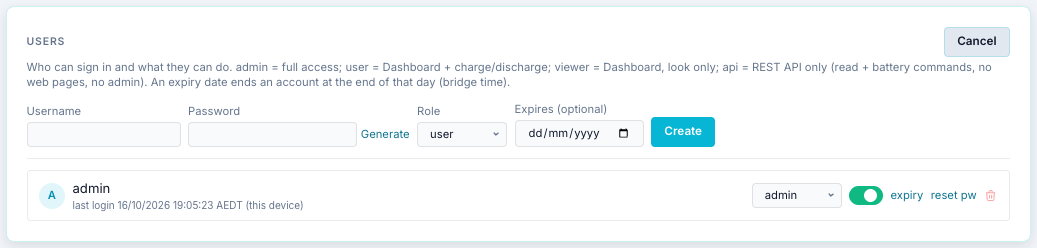
| Field | Default | Notes |
|---|---|---|
| Username | — | |
| Password | — | Generate fills in a long random password and shows it so you can copy it. |
| Role | user |
admin, user, viewer, api. |
| Expires (optional) | none | For a guest or a temporary account. |
Create adds the user.
Locked out?
If you lose the admin password, see the admin recovery notes in the repository
(docs/admin-recovery.md).
Sign-in activity¶
Sign-ins, failed sign-ins, throttled attempts, logouts and ended logins, newest first.
- Filters: all users or one user; all events or one type (
login,login_failed,login_throttled,session_ended,session_adopted,password_changed,password_change_failed,break_glass_reset); number of rows (50, 200, 1000). Refresh reloads. - Columns: Time (bridge timezone), Event, User, IP, User agent, Detail.
After 5 failed sign-ins in 15 minutes an account is locked for 60 seconds. The lock is kept in memory, so a bridge restart clears it. This record is kept.
Support info¶
Builds a redacted summary of this bridge for a GitHub issue: versions, gateway models and firmware, health, MQTT and feature settings, and recent warnings. Nothing is sent anywhere; it is shown for you to review.
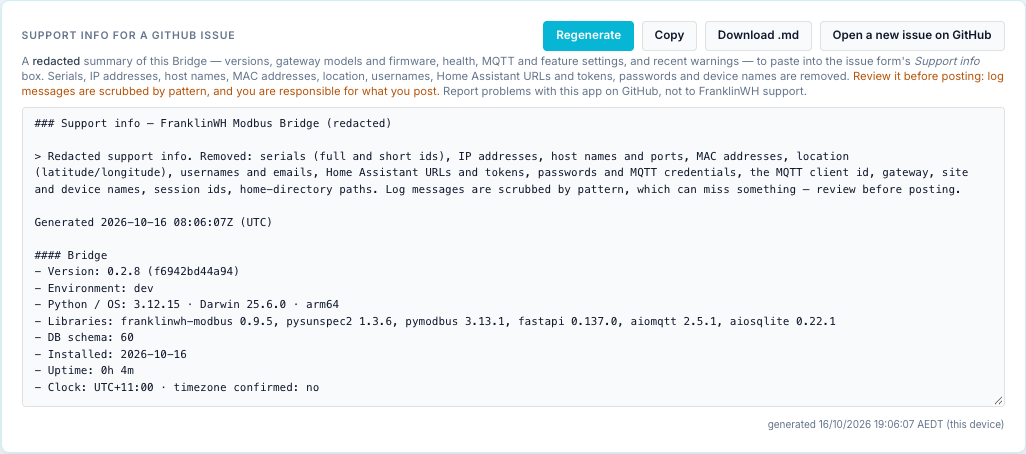
| Button | What it does |
|---|---|
| Generate / Regenerate | Builds the summary and shows it. |
| Copy | Copies it to the clipboard. |
| Download .md | Saves it as a Markdown file. |
| Save as Gist | Copies it and opens GitHub's new Gist page. Paste it, name the file support-info.md, then choose Create secret gist (unlisted, but anyone with the link can read it) or Create public gist. The bridge sends nothing to GitHub itself. |
| Open a new issue on GitHub | Opens the bug report form. Paste the summary into its Support info box. |
Serials, IP addresses, host names, MAC addresses, location, usernames, Home Assistant URLs and tokens, passwords and device names are removed.
Warning
Log messages are scrubbed by pattern, which can miss something. Read the summary before you post it. You are responsible for what you post.
The sidebar's Support info link (admins only) jumps straight to this card. Report problems with this app on GitHub, not to FranklinWH support.