Sequencer
The Sequencer (?tab=sequencer) stores and runs sequences: lists of raw Modbus register
writes, reads, waits and checks, written as JSON. It exists for testing and diagnosing the
aGate's control registers.
Expert tool
A sequence writes registers on a live, grid-connected battery. It bypasses the bridge's command handling, including the trusted battery rating that limits force commands. For normal charging and discharging use the battery controls or the Scheduler.
Off by default, and needs a real aGate
The Sequencer is switched off on a new install (Feature Modules). With only a mock or demo gateway it shows Needs a connected aGate.
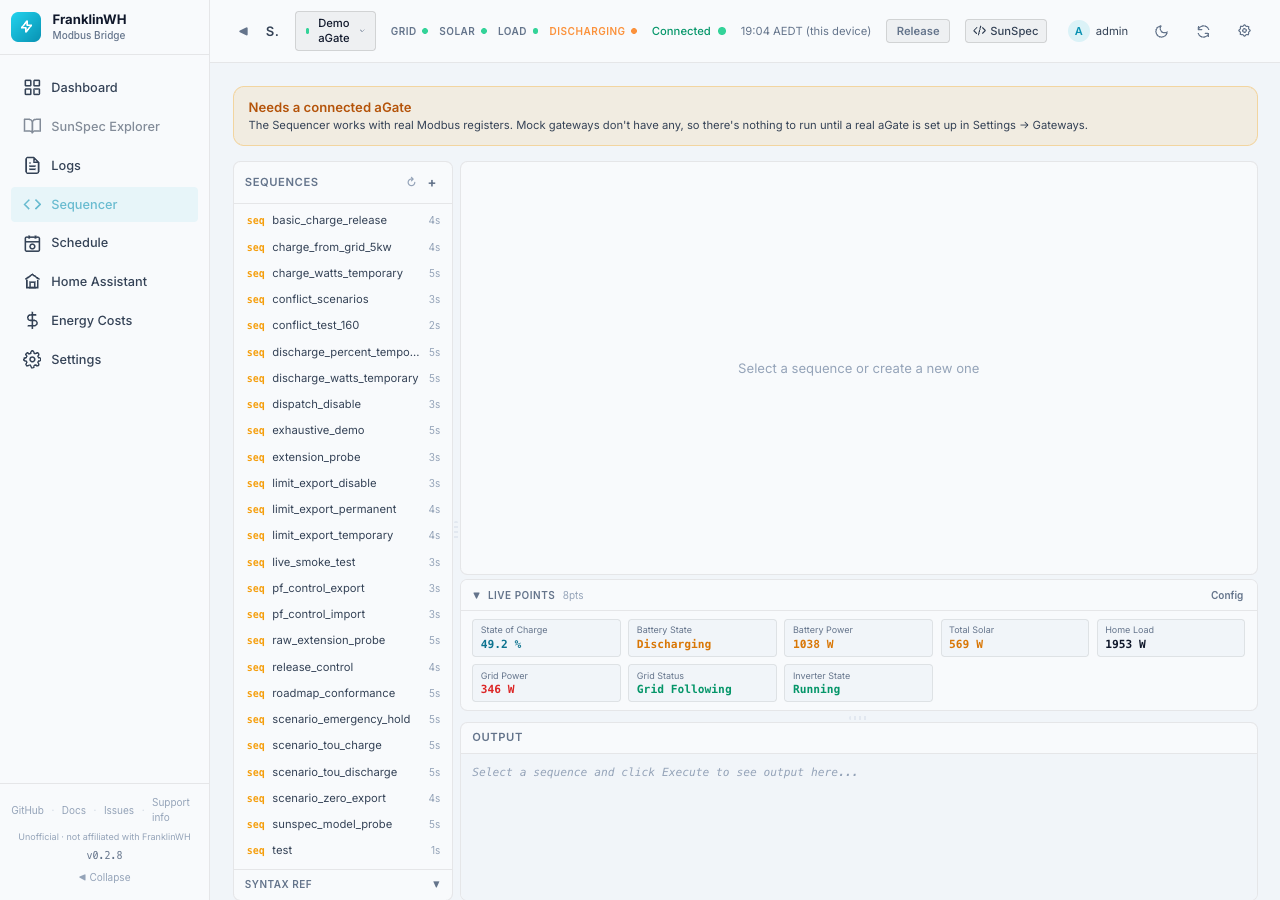
Layout
Sequences (left): the saved sequences, with their step count.
- + creates a new sequence (give it a name).
- ↻ resets the panel sizes.
- Syntax Ref shows the step keys:
| Key | Meaning |
|---|---|
step |
Step label |
writes |
{"Model.Point": value} registers to write |
reads |
["Model.Point", …] registers to read |
verify |
true to read back the writes and check them |
verify_timeout_ms |
How long to wait for the read-back to match |
wait_for |
{"Model.Point": value} condition to wait for |
sleep_ms |
Pause after the step |
abort_on_failure |
Stop the sequence if this step fails |
require_transition |
Require the value to change |
note |
A comment, ignored |
Points are written ModelID.PointName, for example 704.WSetPct. On a site with several
batteries, Model 714 points take a port suffix: 714.DCW_1, 714.DCW_2 (714.DCW is port 1).
Editor (right): click the highlighted text to edit. The bar under it says Valid JSON (N steps) or shows the JSON error.
| Control | What it does |
|---|---|
| Rename / Delete | Renames or deletes the sequence. |
| Save | Saves your edits (enabled when there are changes). |
| Gateway | Primary aGate, another real gateway, or All Gateways. Mock gateways are not listed. |
| Dry Run | Shows what would be written without writing. |
| Execute | Runs the sequence. Disabled while the JSON is invalid. |
A Live Points strip (same as on the Dashboard) shows values while you work, and Output shows each step's result. Clear empties the output.
A quick version, without saved sequences, is the Modbus Sequencer tab under the Dashboard's Power History.