FranklinWH Modbus Bridge
Unofficial software — please read
franklinwh-modbus-bridge is unofficial and is not endorsed, supported, or affiliated with FranklinWH in any way. FranklinWH and aGate are trademarks of their respective owners, used here only to describe what this software talks to.
It is provided "AS IS", for educational and informational purposes only, without warranty of any kind, express or implied, including but not limited to warranties of merchantability or fitness for any particular purpose. The authors and contributors accept no responsibility or liability for any consequences of its use.
By running it you acknowledge that you:
- are accessing an interface not intended for your use;
- assume all risk associated with that, including risk to your hardware, your warranty, and your electricity supply;
- will use it responsibly and respect any rate limits;
- understand that excessive use may affect service for other users.
This software issues WRITE commands to grid-connected battery hardware. Incorrect use can discharge your battery when you need it, import power when you did not intend to, or leave the system in an unexpected state.
COMPLIANCE. Keep your system compliant with the settings your official FranklinWH app or installer configured. Those settings may exist to protect battery and gateway safety, to enforce your local grid profile and any import/export limits, or to honour incentive, subsidy or VPP programme conditions. Using this software to bypass them — deliberately or inadvertently — is entirely at your own risk, and is neither condoned nor encouraged.
DO NOT CONTACT FRANKLINWH SUPPORT about this software. Bugs, defects and feature requests belong here, not with the vendor: https://github.com/david2069/franklinwh-modbus-bridge/issues Questions of any kind are welcome in Discussions.
- Full terms: https://github.com/david2069/franklinwh-modbus-bridge/blob/main/LICENSE
- SunSpec conformance (PICS SM-000028): https://sunspec.org/wp-content/uploads/2009/03/UPDATED_FranklinWH_Modbus_PICS_SM-000028.xlsx
- Related project documentation: https://david2069.github.io/franklinwh-cloud/
Run your FranklinWH aGate from Home Assistant over your local network.
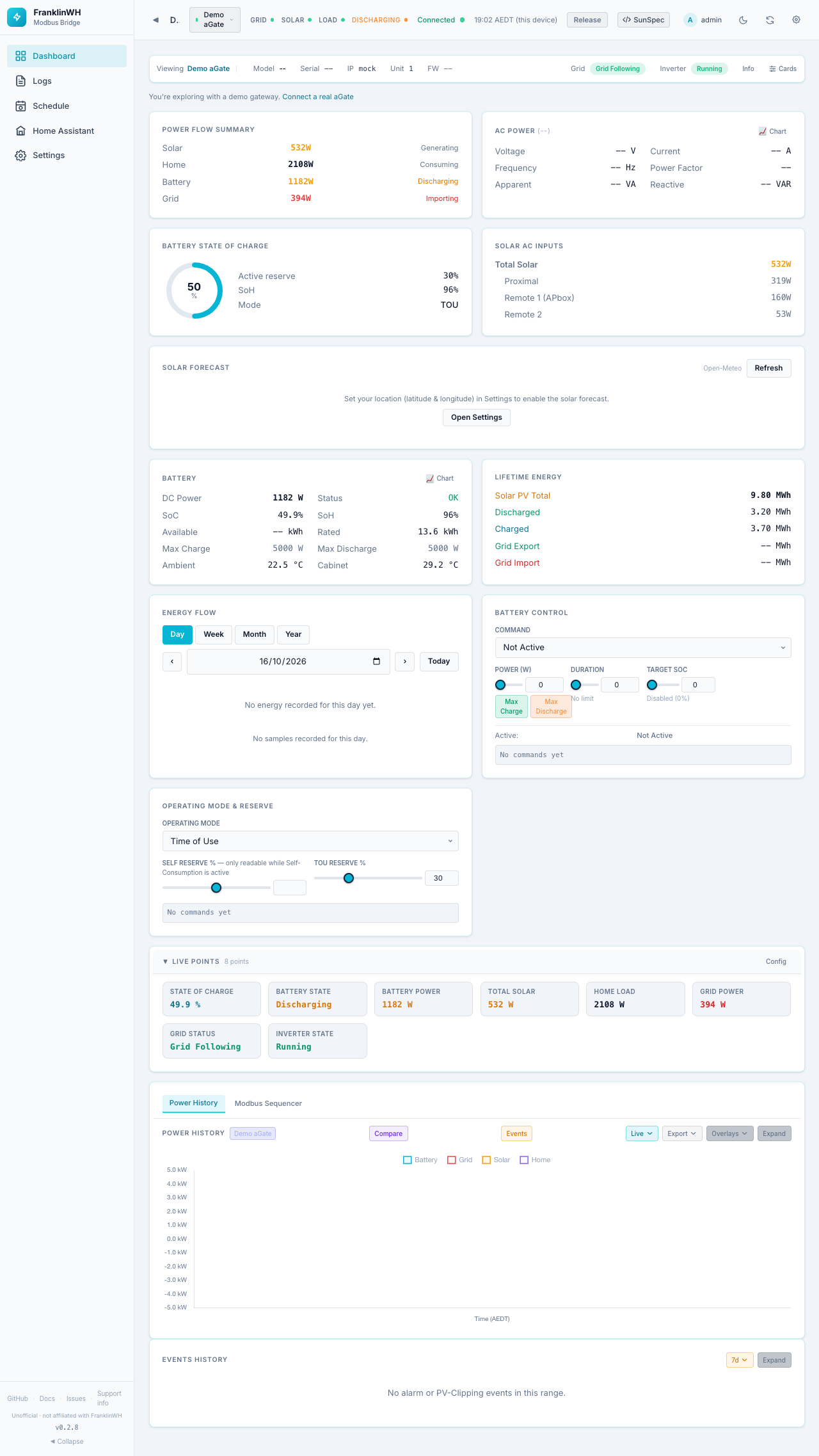
The bridge talks to the aGate over Modbus TCP. It shows live power, battery and grid data on its own dashboards, runs schedules (force charge or discharge, reserves and modes, with conditions such as SoC, spot price or weather), and publishes everything to Home Assistant as MQTT entities.
Questions? Ask anything in Discussions
Discussions is the place for anything about the bridge or its API: questions, ideas, feature requests, and anything that looks wrong.
New to this? You're welcome here. No question is too basic, and you don't need to know Modbus, Home Assistant or GitHub jargon. Ask in your own words; nobody will judge you for it. If it turns out to be a defect, it gets moved to Issues for you.
Already sure it's a defect, with steps to reproduce? Go straight to Issues.
Start here
| I want to… | Go to |
|---|---|
| Install it in Home Assistant | Install (HA add-on) |
| Run it without Home Assistant | Install (Docker) |
| Run it from source, or develop it | Install (Python) |
| Connect my aGate, or try a demo | First run & setup wizard |
| Learn every screen and setting | Dashboards & Settings |
| Automate charge and discharge | Scheduler |
| Set up my utility, meter and tariff | Guide: utility, meter & tariff |
| Add a solar forecast and weather | Guide: location & weather |
| Fix or remove HA entities | Fixing, moving and removing entities |
| Use HA entities in schedules, get notifications on my phone | Home Assistant setup: instance & notifications |
| Get alerts on my phone, add the bridge to my home screen, reach it away from home | Phone, notifications & remote access |
| Run the battery without fighting the FranklinWH app | Battery dispatch: best practice |
| Call the API, or integrate my own tools | Developer Guide |
| Ask a question, suggest an idea, or report a problem | Discussions · Issues |
What you need
- A FranklinWH aGate with Modbus TCP enabled. That's an installer setting; the bridge can't turn it on.
- The aGate's IP address, reachable from the machine that runs the bridge.
- For Home Assistant entities: an MQTT broker. The Mosquitto add-on is the usual choice.
One Modbus client per aGate
The aGate's Modbus port serves one client at a time. Don't run two bridges, or the bridge and another Modbus tool, against the same aGate. The symptoms are dropped connections, "unreachable" flapping and corrupt readings.
Battery power rating
Force charge and discharge are sized against the battery's power rating:
the aGate's nameplate charge and discharge rating, which it reports over
SunSpec (Model 702 WChaRteMaxRtg / WDisChaRteMaxRtg; 5000 W each on a
single-aPower reference site). The bridge uses it as reported. If the battery
is ever seen running well above it, the bridge stops using it until you
calibrate the rating. See
Settings: Site & Gateways → Battery power rating.