Control and write safety
This page is about changing things, and about the gates that stand between a click and
your battery. As of 0.5.2 only two of the three still act: confirm and provider
availability.
The Control tab
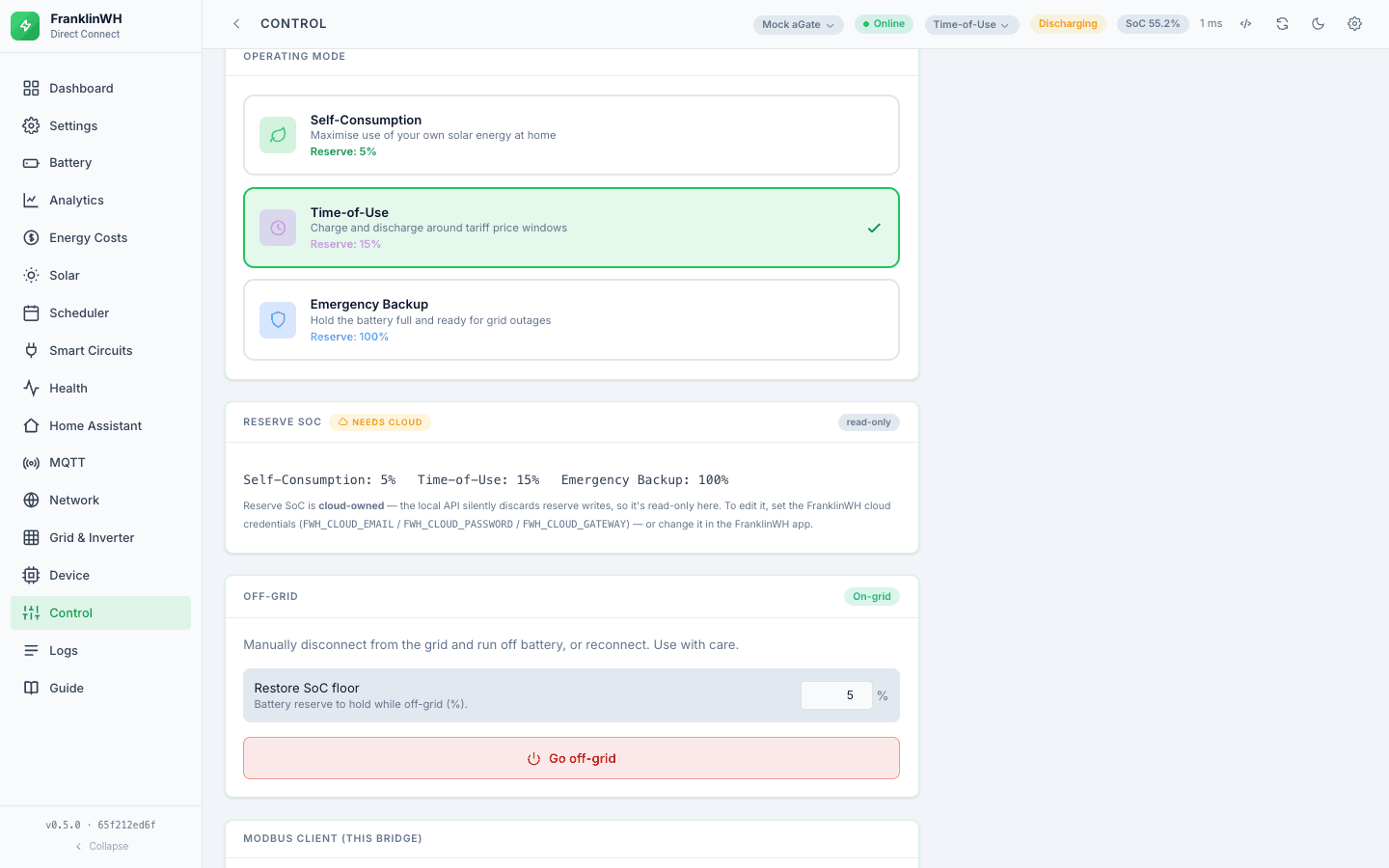
One page per gateway, scoped to whichever gateway the top-bar selector names.
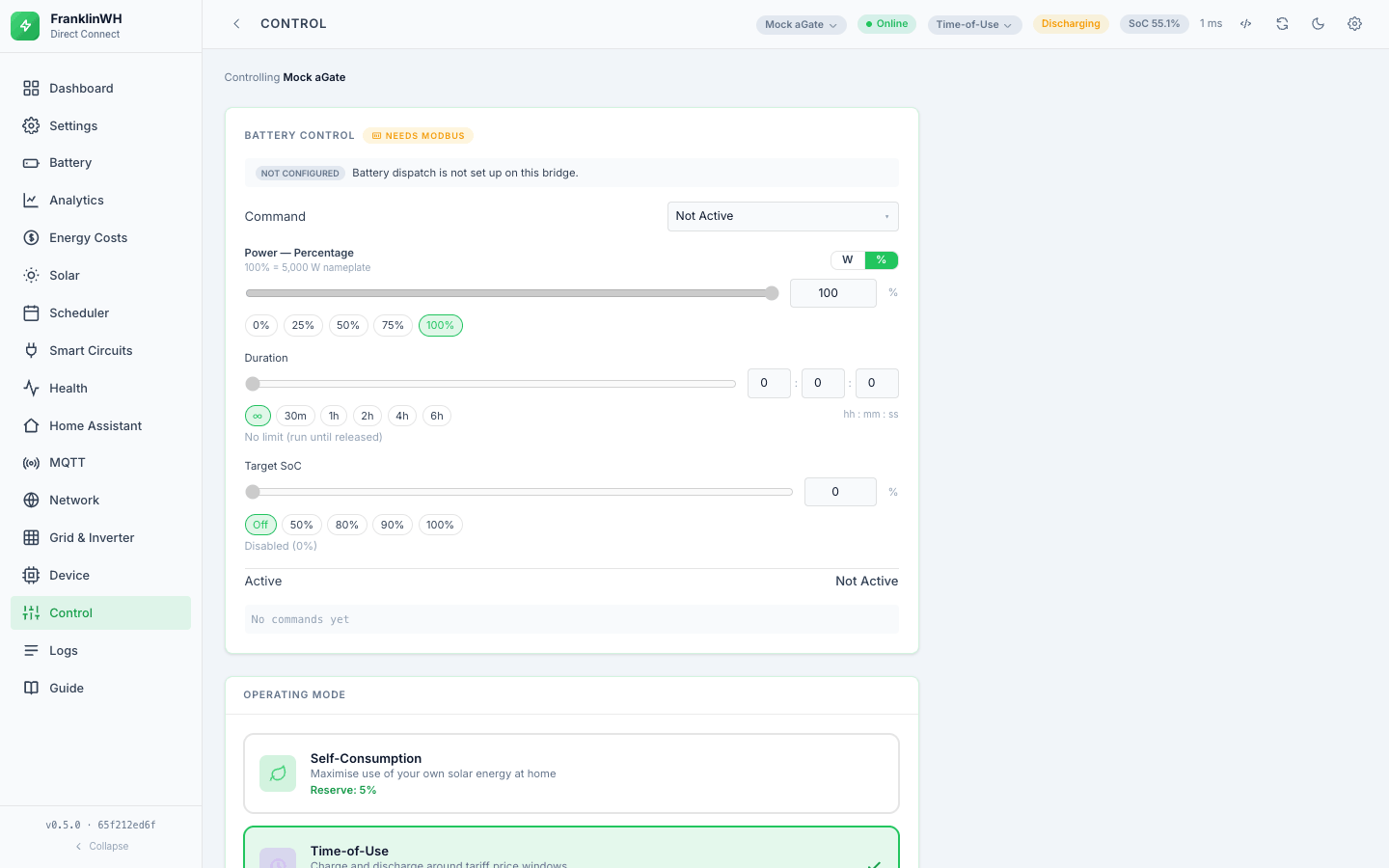
- Battery Control — Force Charge / Force Discharge / Force Standby / Release. Power
is given either in watts or as a percentage of the rated rate (one segmented
toggle; the two are mutually exclusive and last-set-wins). A duration (
hh:mm:ss; zero means "until released") and an optional Target SoC. Choosing a Force command asks for confirmation first, because it moves the real battery. - Operating Mode — Self-Consumption, Time-of-Use, Emergency Backup. Tap a card, then confirm.
- Reserve SoC — the per-mode reserve floor. Cloud-owned: editable only when cloud credentials have been validated, not merely entered.
- Off-grid — island the gateway or reconnect it, with a restore-SoC floor.
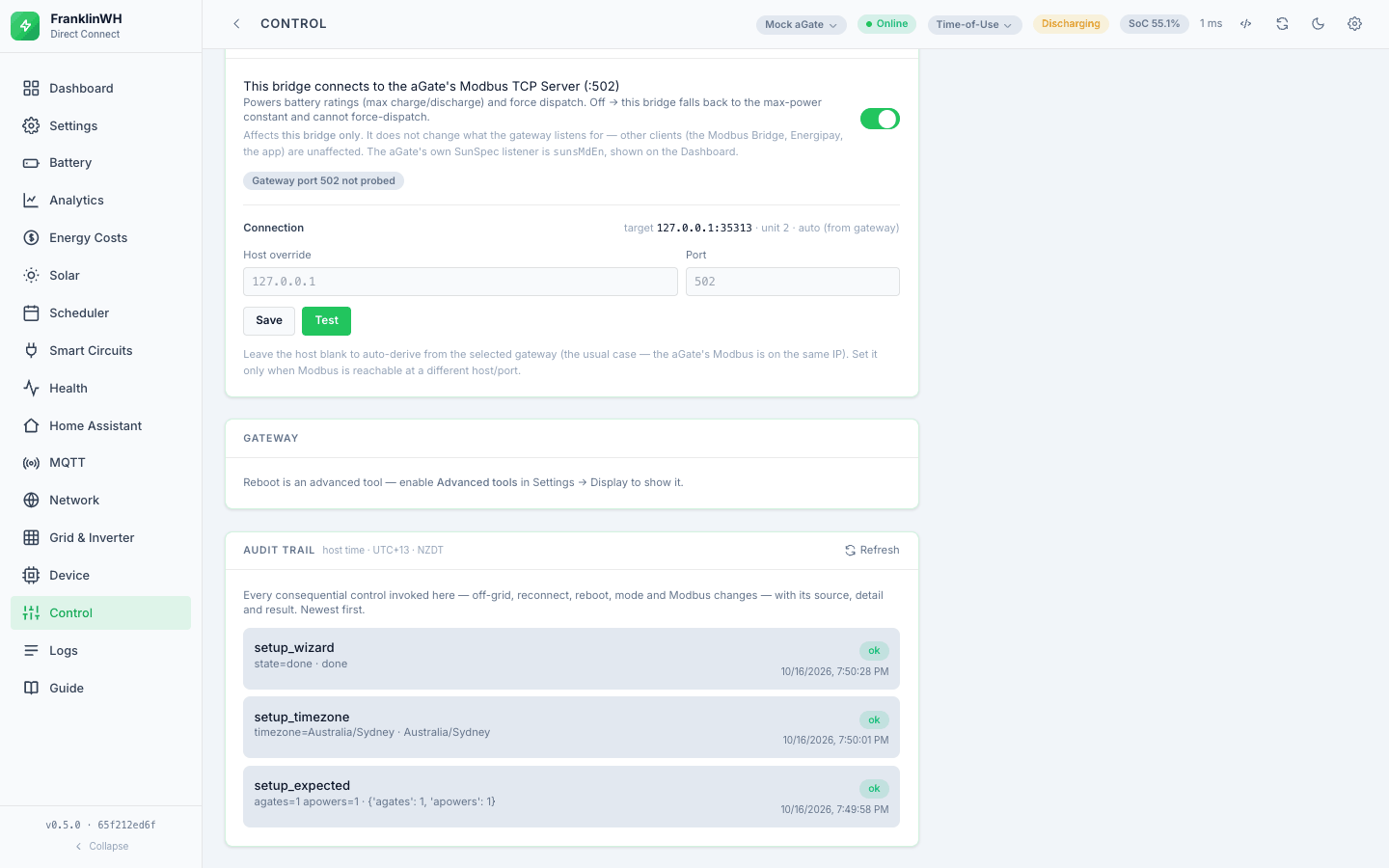
- Modbus — enable the Modbus path, override host and port, and Test it. The override applies to every Modbus path in the bridge, not just this tab.
- Gateway — reboot the aGate.
- Audit trail — every consequential action taken here and its result, newest first, in bridge-host time.
Every consequential control is recorded twice: once as a structured row in the audit trail, and once as a line in the Logs tab, so there is a single place to look even when the action came from the scheduler rather than from you.
The three gates
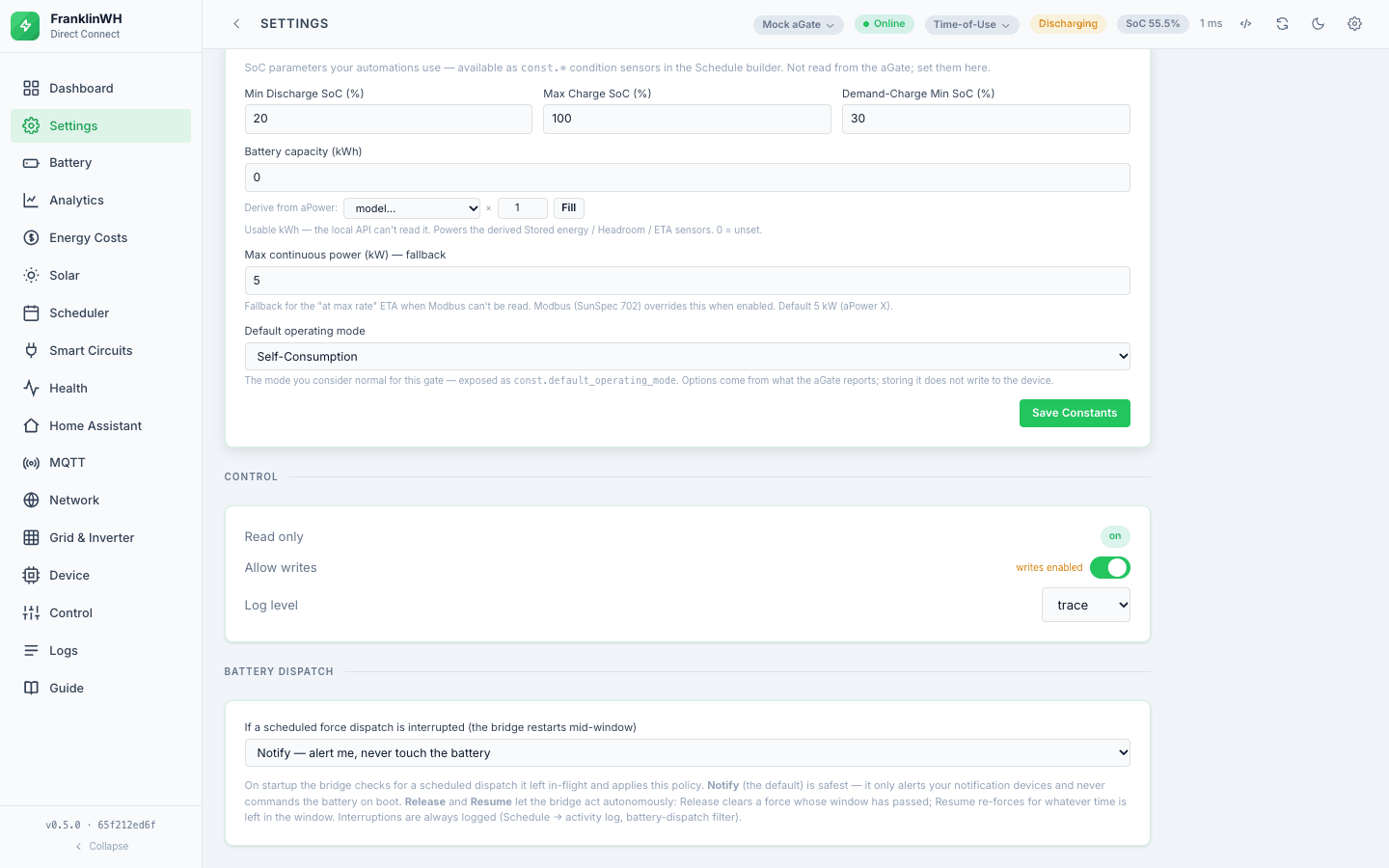
These are separate mechanisms with separate failure messages. Knowing which one stopped you saves a lot of guessing.
1. allow_writes — no longer blocks writes
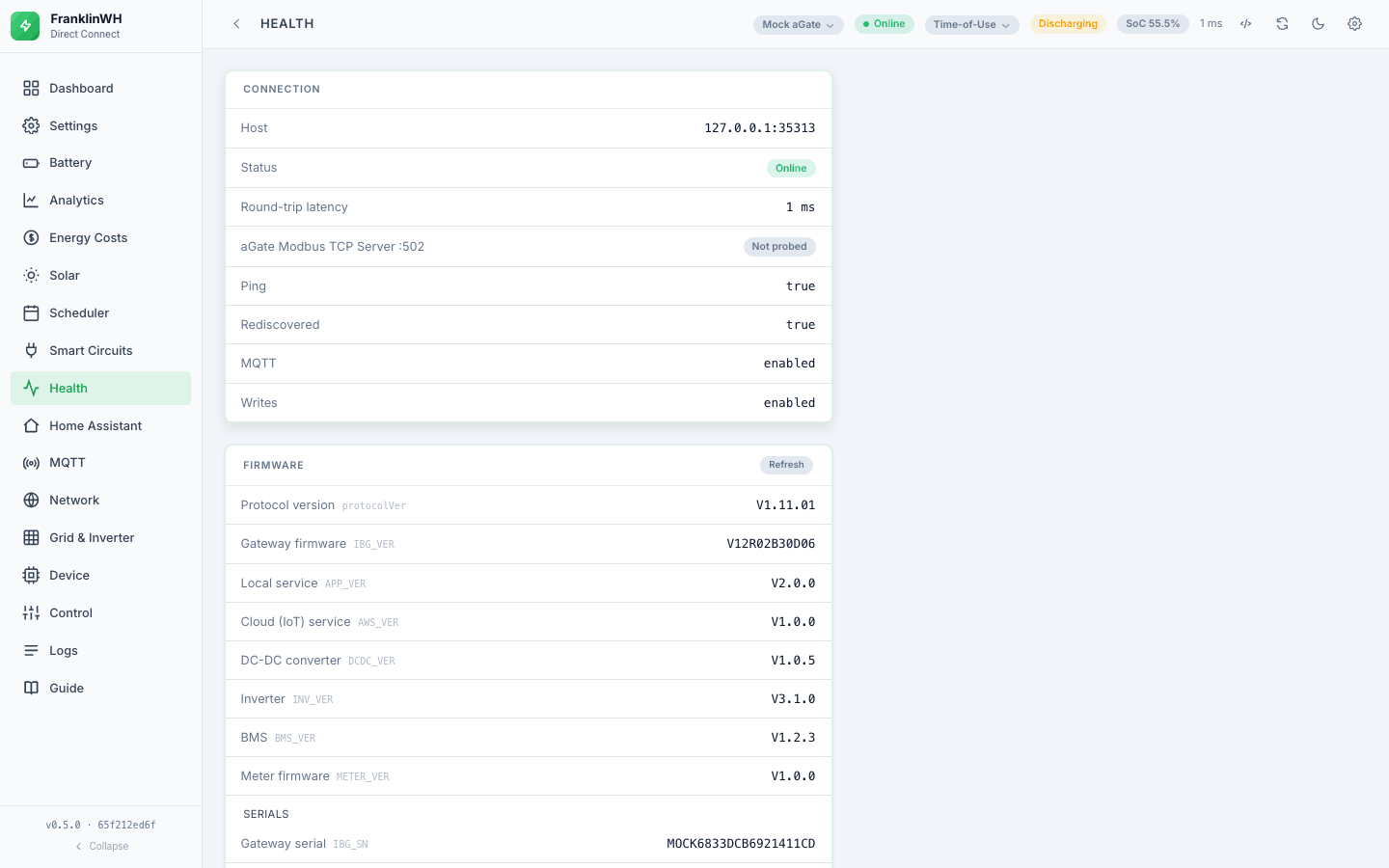
As of 0.5.2, allow_writes does not stop anything. The global write gate was dropped:
the bridge always reports writes as enabled, and reversible writes (a force command, a
smart circuit, a schedule) go through whatever the setting says. The Allow writes
switch under Settings → Automation → Control is still there, and still saves, but
has no effect. The physically consequential actions are guarded by confirm instead
(below).
So there is no read-only mode today. If you need the bridge not to write, do not give it a path: leave the Modbus client (this bridge) off, and do not enter cloud credentials. The local Direct Connect path is always available for mode, smart-circuit and off-grid writes, each of which asks for confirmation.
2. confirm — the consequential-action gate
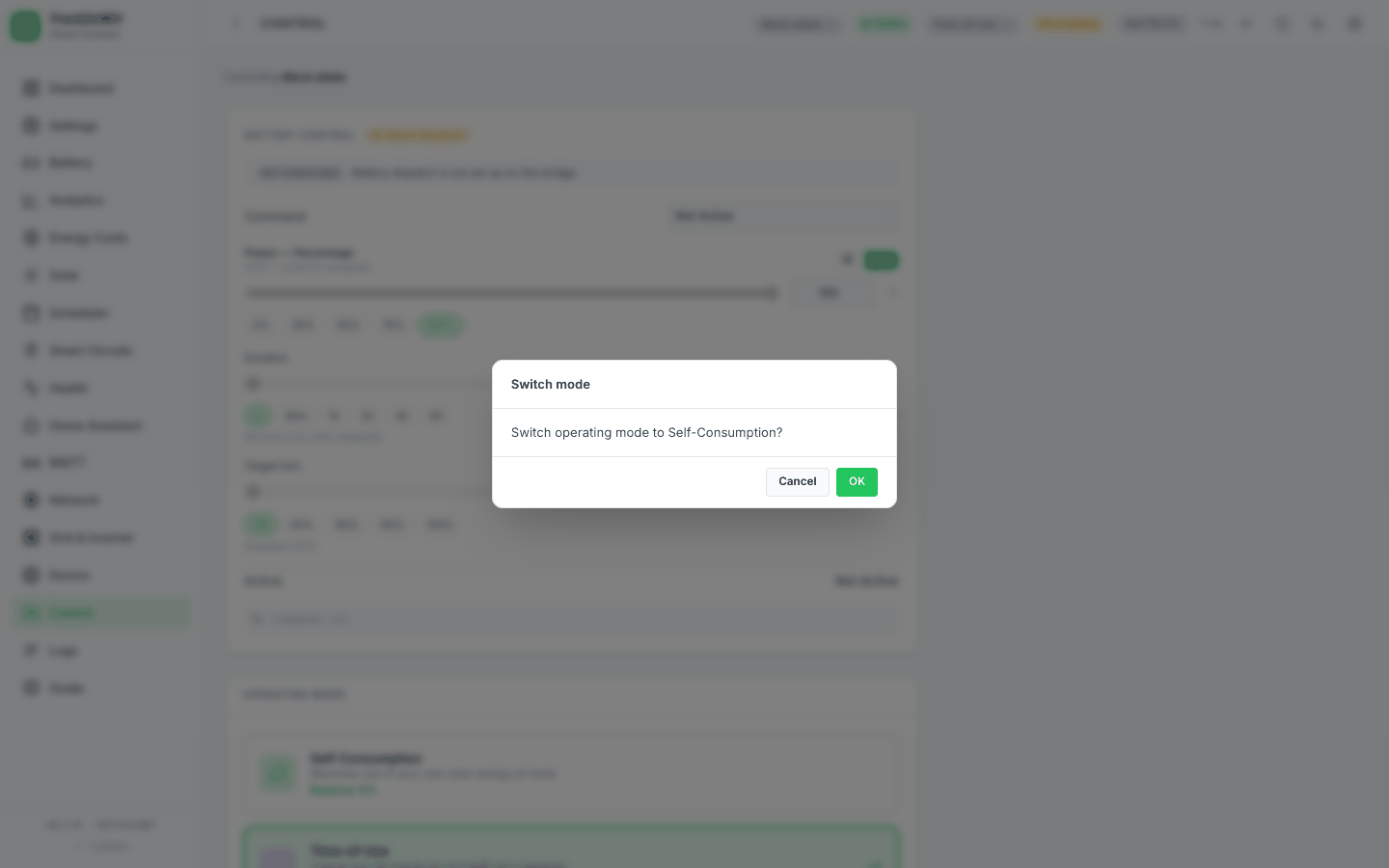
A handful of actions are physically consequential enough that they require an explicit
confirmation flag regardless of anything else, and refuse with 428 without it. This
is not cosmetic: a direct API call without confirm is rejected, not just a mis-click in
the UI.
3. Provider availability — can the path be reached at all
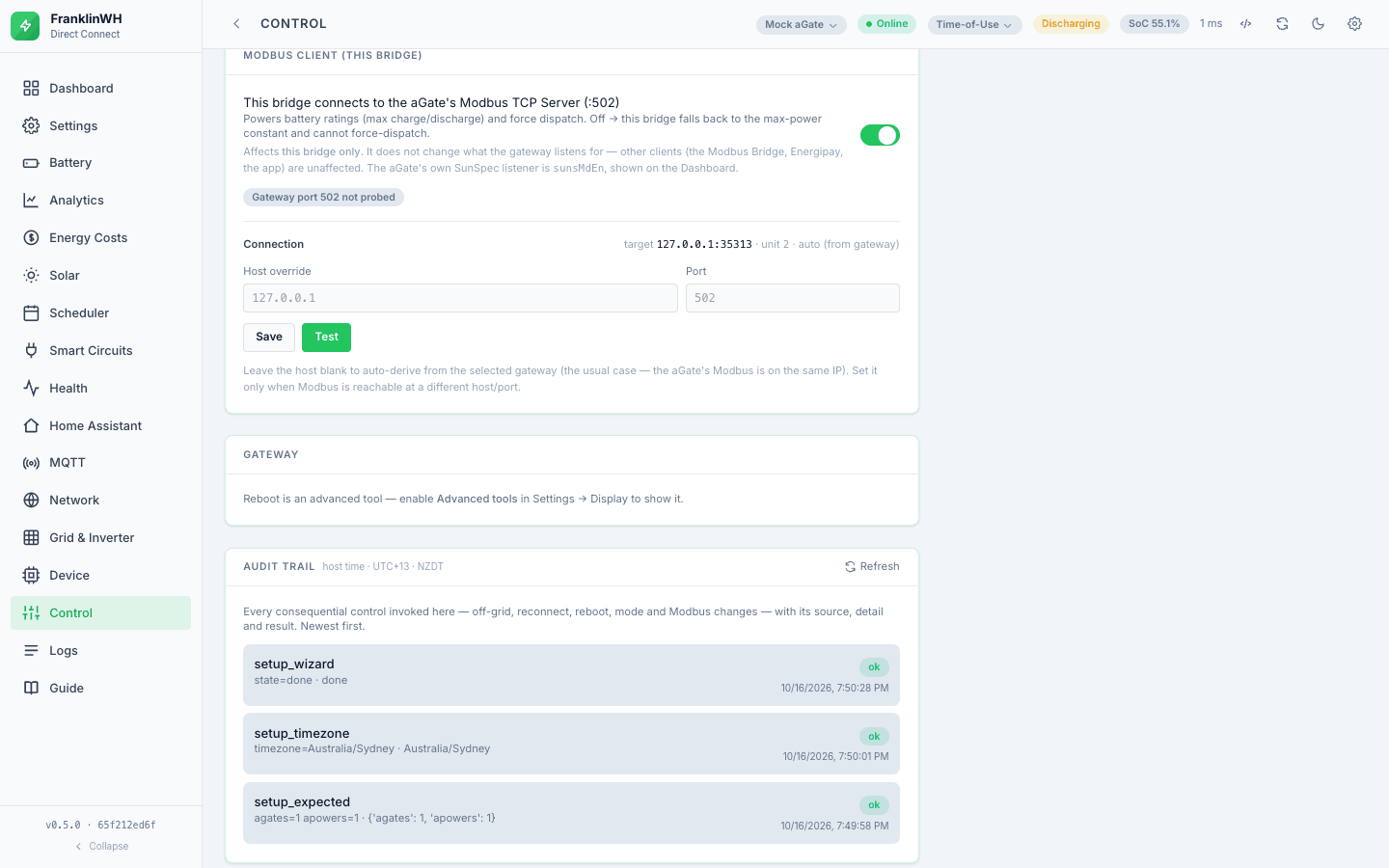
Separate again. A control whose path is missing refuses with a reason: 503 when no provider is configured, 501 when a path is detected but deliberately not wired, 502 when the provider is unreachable.
Which gate applies to what
Read from app.py on this repository's main. Since allow_writes no longer blocks
anything, confirm is the only gate that a request can fail on, apart from provider
availability.
| Action | Endpoint | confirm |
|---|---|---|
| Set operating mode (local, and the cloud variant) | POST /api/mode, POST /api/cloud/set-mode |
yes (428) |
| Go off-grid / reconnect | POST /api/offgrid |
yes (428) |
| Set grid import/export limits | POST /api/grid/limits |
yes (428, unless dry_run) |
| Battery force / release (widget) | POST /api/battery/command |
UI confirms; API does not require it |
| Battery dispatch (provider path) | POST /api/dispatch |
no |
| Reserve SoC | POST /api/cloud/reserve |
no |
| Smart circuit on/off | POST /api/circuits/{n}/power |
no |
| Reboot the aGate | POST /api/reboot |
yes (400) |
Arbitrary cmdType write |
POST /api/raw |
yes (428) |
| Restore a database backup | POST /api/admin/backup/{name}/restore |
yes (428) |
| Create/edit gateways, sites, meters, tariffs, schedules, HA instances | various | no |
POST /api/raw deserves a note. It decides read-versus-write by comparing your payload's
opt against the command's documented read opt — so 1725, which reads with
opt:1, is correctly treated as a read. A write through the raw console returns a 428
that names the command, both opt values, and any known danger text for that cmdType.
Battery force: two paths, and which one you are on
This is the part of the bridge with the most moving parts, so it is worth being precise.
The Control tab widget and the Scheduler's force action both go through the
bridge's own direct Modbus code (battery_control), writing SunSpec WSet over TCP
:502. That code carries its own watchdog: it enforces the duration and the target SoC
(charge stops at SoC ≥ target, discharge at SoC ≤ target, read from the gateway's last
poll), and releases when a newer command supersedes it. What happens to a dispatch that a
restart interrupted is a separate, configurable question — see below.
POST /api/dispatch is a different route. It resolves a provider — an installed
Modbus Bridge over REST first, the franklinwh-modbus library second — and delegates.
The library path is detected but deliberately not wired: it returns 501, with the
reason that dispatch without the Modbus Bridge's watchdog is unsafe. So in practice
/api/dispatch needs an installed Modbus Bridge with credentials that have its control
capability; a viewer account signs in successfully and still cannot dispatch.
That two-path arrangement is mid-migration. There is a design document in this repository
(docs/MODBUS_VIA_REST_DESIGN.md, dated 2026-10-13) proposing that direct Modbus TCP be
retired in favour of the Modbus Bridge REST API; at the time of writing it is marked
DESIGN for review, and both paths still exist in the code. Expect this section to
change.
Two further honest notes:
GET /api/capabilitieslistsforce_charge_dischargeunder cloud and keys it to cloud login state. The force paths actually used by the UI and the scheduler are the Modbus ones described above. Treat that capability flag as a statement about the cloud API, not as the route your Force button takes. No template or script in this repository refers to that flag by name (checked by search), so it appears to be reporting rather than gating.- On the bridge read live on 2026-10-15, the Scheduler reported
force_available: falsewith the reason "Modbus (SunSpec 502) is disabled in Control settings" — the expected behaviour when the Modbus path is switched off, and a good example of the "say why, don't hide it" rule.
Stopping a force
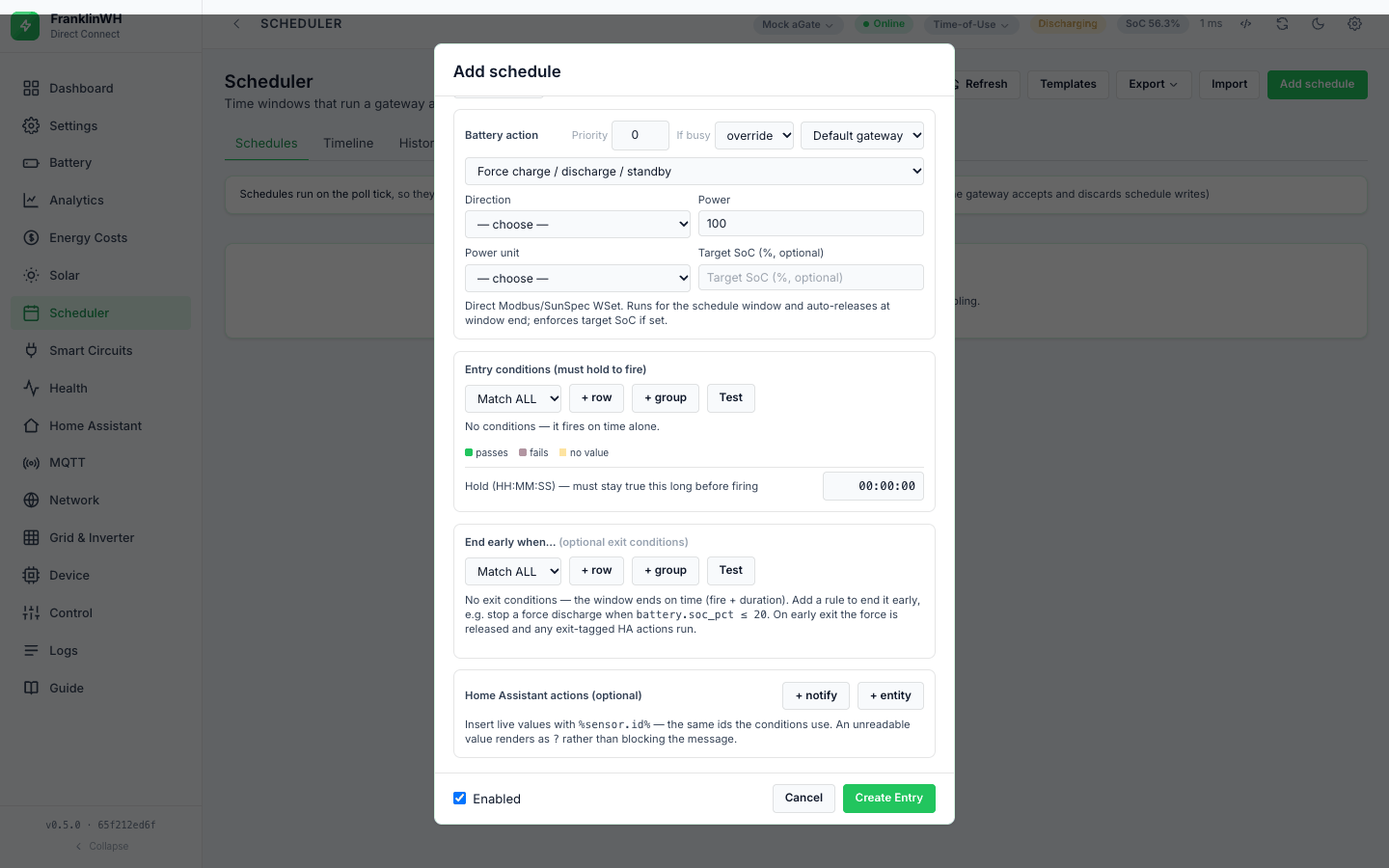
The Release button appears in the top bar on every tab while a dispatch is running. A scheduled force also auto-releases at the end of its window, and the window's closing edge fires a release as a safety net even if the action itself already ended.
After a bridge restart mid-dispatch
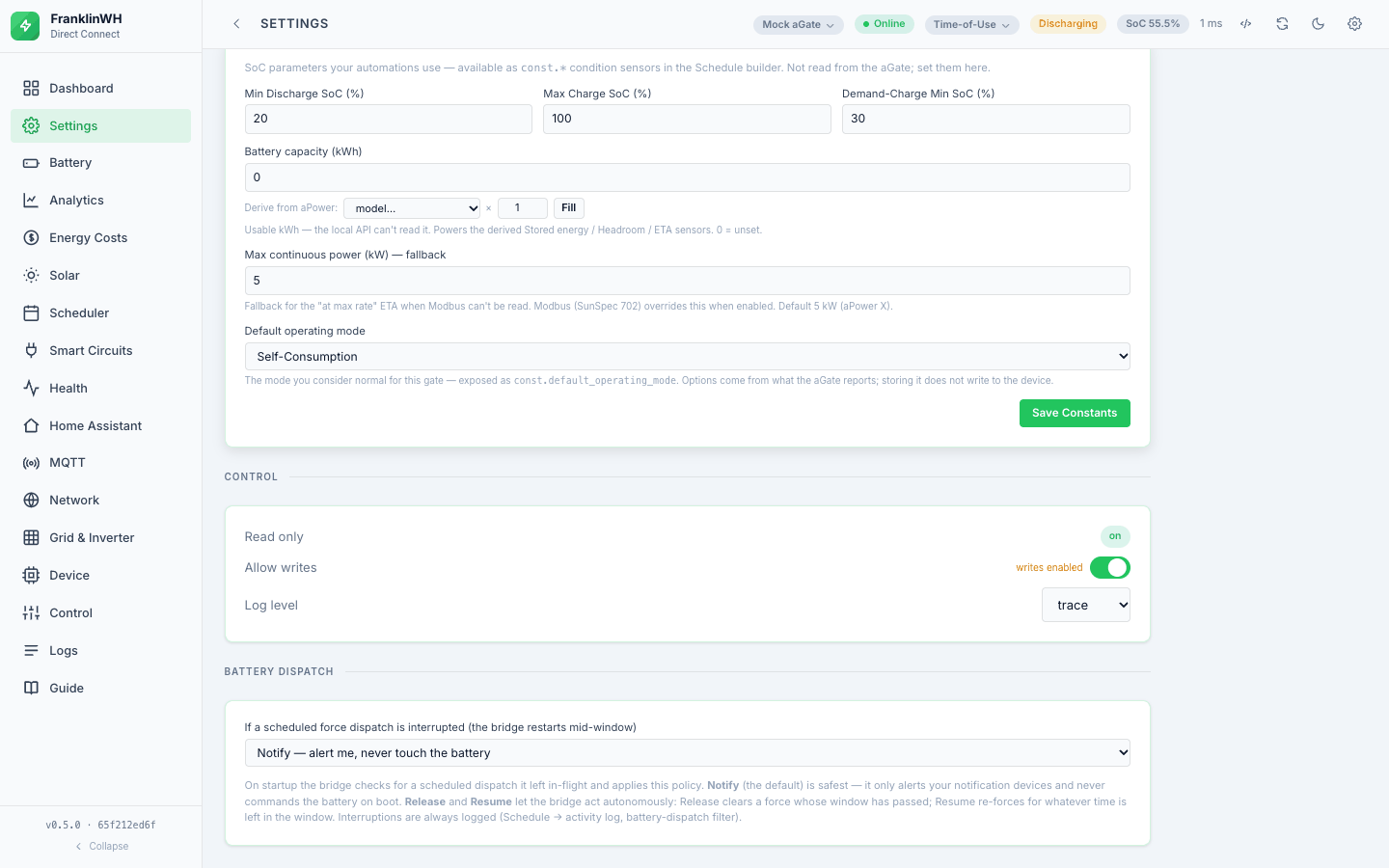
Controlled by dispatch_interrupt_policy, which defaults to notify: on boot, and
only when the Modbus path is actually available, the bridge reconciles scheduled
dispatches the database still marks active. notify alerts you without touching the
battery — it honours the rule that two processes must not fight over the same register.
The other settings are none, release and resume.
The reconcile is why a persisted dispatch row exists at all: both a widget force and a scheduled one are written to the database when they start, with their direction, power, power mode, target SoC and window end, so a restart mid-window has something to reconcile against rather than guessing.
Grid & Inverter limits are unverified
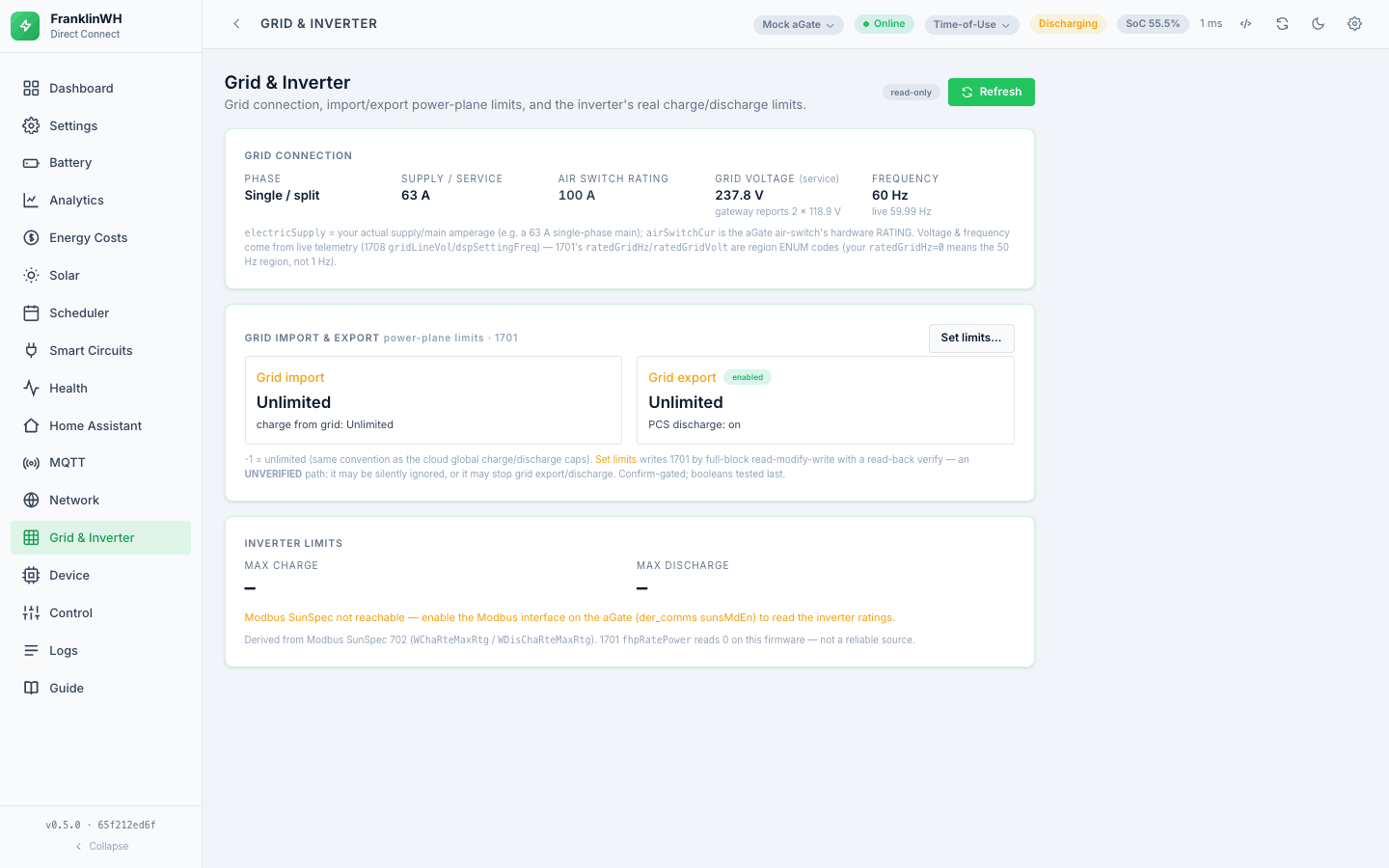
The Grid & Inverter tab writes the 1701 grid power-plane fields (import/export
enables, soft and hard limits). The code marks this write UNVERIFIED and says so in
the endpoint's own documentation: it is a full-block read-modify-write with a
self-verifying read-back, dry_run previews the exact frame, and a real write needs
confirm. When cloud credentials exist the response also returns the cloud's global caps
as an independent witness.
Treat it accordingly. The read-back is the only safety net, and the boolean fields in that block can stop export or discharge.
There is no read-only mode today
The Allow writes switch suggests a read-only mode. As of 0.5.2 there is none: the
switch does nothing (see the first gate). Anyone who
can open the UI or reach the HTTP API can change the gateway, within the confirm and
provider gates above. Keep the bridge on a trusted network.
If you are setting the bridge up for the first time, or pointing it at a system you do not own, leave the Modbus client (this bridge) off and do not enter cloud credentials.